
Grok vs ChatGPT: how do you keep context across both?
Grok vs ChatGPT compared on live X access, tone, media and plans, plus a practical method for carrying the same personal context into both tools.
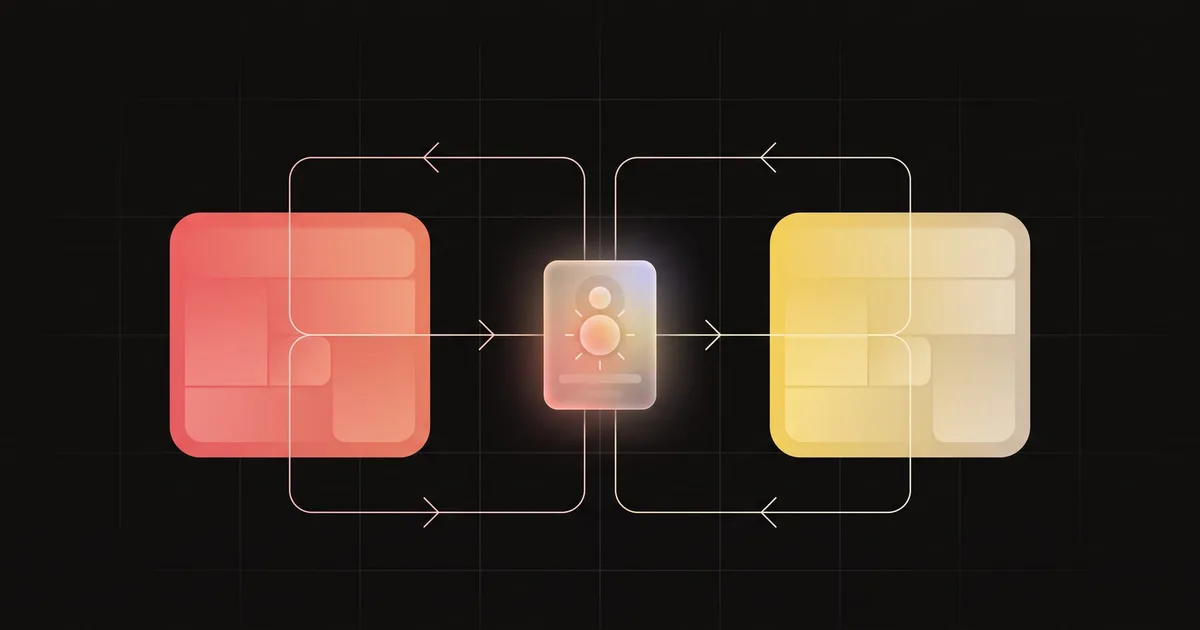
Grok vs ChatGPT comes down to what your work depends on. Grok is the better choice when you need what is happening on X right now, because it searches X directly and can show the posts behind its answer. ChatGPT is the better choice for polished long-form drafting, broader web work and structured output. You keep context across both by holding your bio, constraints and style in one short profile and bringing it into each tool, instead of rebuilding it for every chat.
How do they differ on live X data and prompts?
TwitterAPI.io says Grok has built-in X Search, while ChatGPT reaches X through web search or a connector. Treat Grok as native for live X questions and treat ChatGPT as web-first unless you attach an X data source (an app or connector).
For live retrieval in Grok, God of Prompt teaches a six-part prompt:
- Job: one line on what you want back, stated as an action (for example, “Find five posts that started the conversation about X”).
- Time window: how far back to look (“Last 24 hours only” or an exact range).
- Source filters: where to look and what to skip (handles to include or exclude, minimum replies, ignore news accounts).
- Evidence requirement: show the posts, with handles and links, so you can open them.
- Output format: the structure you need next (for example, a table with handle, claim, replies, link).
- Exclusions: remove what you already know (your account, the official brand account, prior coverage you supplied).
The clock and evidence lines keep answers current and checkable; without them, you get a vague summary of whatever was loud when you asked. Grok’s built-in X search is what makes a time-windowed, source-filtered prompt work; ChatGPT needs an attached X source before the same prompt can return posts you can check.
UIUX Studio warns that X is one platform and that posts can be wrong or misleading, so treat any summary as a signal to check, not a fact. Include citations and open the sources before you repeat a claim. Provide source text from files and trusted links before asking the AI to reason, because supplying the material yields reproducible answers and avoids shallow or failed browsing.
Tone, guardrails and setting the register
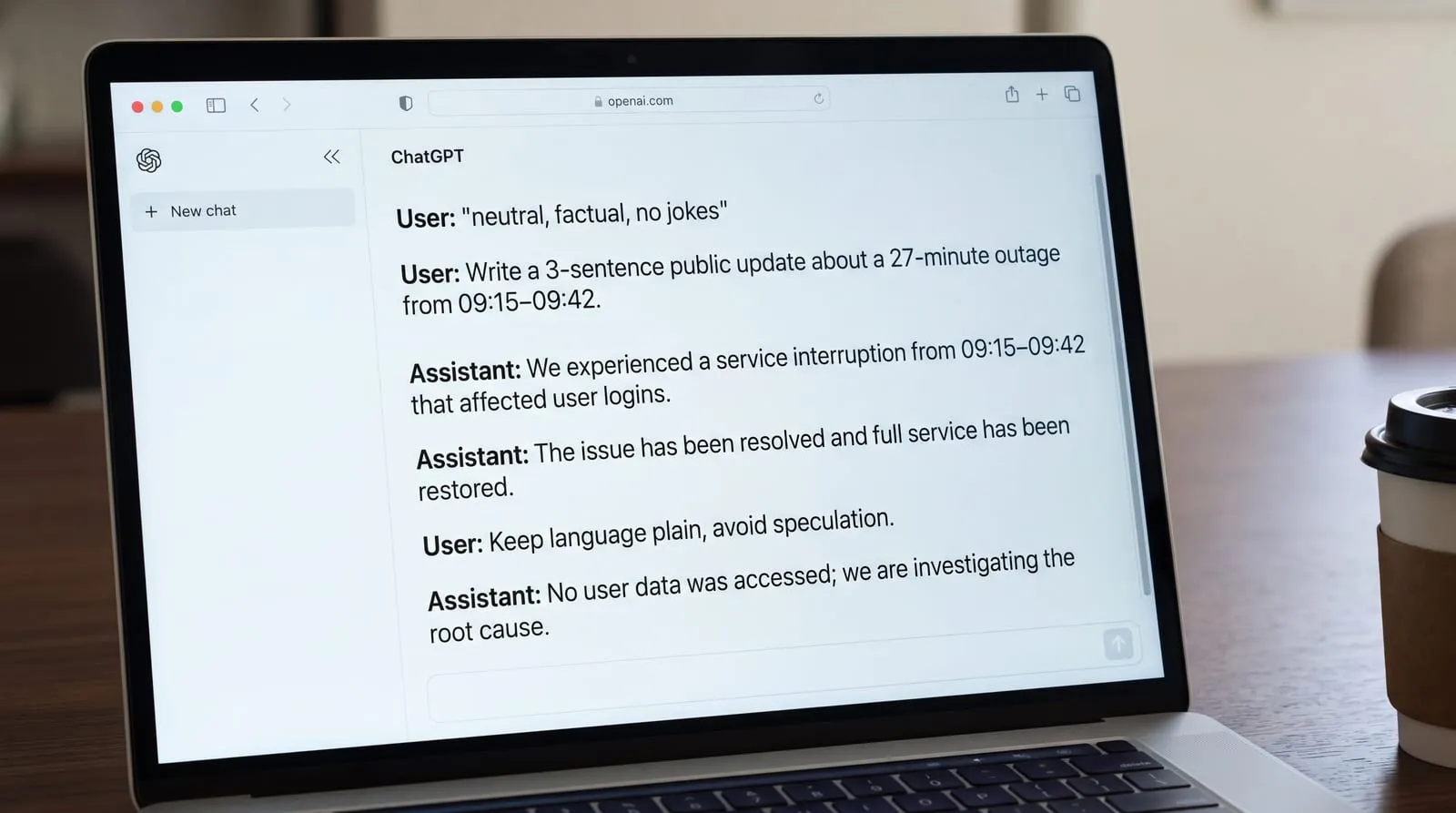
GEroundtable describes Grok as irreverent, humorous and less filtered by default, while ChatGPT tends to be more measured with stronger refusals or softer answers on sensitive topics. In practice, Grok is more willing to keep the witty, poster-like voice unless you rein it in; ChatGPT is more likely to nudge toward safer phrasing or decline borderline requests. Neither style is automatically better. If you are drafting public updates or reacting to a live thread, the lighter touch can read more human; if you are writing for clients, education or regulated subjects, the stricter guardrails can help you avoid accidental overreach.
Make the tone explicit before the task: put one line at the top that sets the register, then keep examples short. For instance: "neutral, factual, no jokes"; or "polite, first person, 2 short paragraphs; avoid hyperbole". A single tone line at the top turns Grok's default edge up or down. The same line works in ChatGPT: it honors clear, concise constraints, and you can reinforce them with a tiny example of the style you want. If the model drifts, restate the line and continue. Treat word count as another control, for example "answer in 4 sentences" or "bulleted, maximum 6 items" to keep outputs tight.
What do images, video, voice and plans add?
NOXI’s 30 October 2026 read of the official plan pages shows both assistants start at 8 dollars a month, with Grok Premium at 30 dollars and ChatGPT Plus at 20; the top tiers sit higher. If you expect to move beyond the entry plan, budget for that 10-dollar difference every month. On billing, Grok offers yearly prices (Plus 80 dollars, Premium 300), while ChatGPT’s Go and Plus are monthly only. Grok’s page notes prices exclude taxes and fees. At the top end, Grok lists Super at 100 dollars and Ultra at 200, while ChatGPT Pro ranges from 100 to 500 dollars.
For video inside the chat, Grok Premium is the documented route: it generates clips up to 15 seconds, images up to 2K resolution, and text to video at 720p, and Grok marks generated media with a watermark. In practice, that makes Premium useful for quick motion beats you can review in the same thread before handing off to design tools. ChatGPT’s plan page lists image creation but no stated video spec. Neither vendor publishes a quality measure, so this compares what each plan gives you access to, not the results. Grok also lets you restyle, edit and iterate without leaving the conversation.
Beyond price, the middle tiers diverge in scope. ChatGPT Plus publishes a 256K reasoning context window. Grok does not publish a consumer figure. Grok lists custom connectors for all users, while custom MCP servers on ChatGPT are documented for Pro and a developer mode on Plus. On surfaces, ChatGPT ships a browser extension and Office add-ins, while xAI documents Office add-ins but no browser extension.
Both generate images and support voice, and only Grok documents video from Premium. G2’s reviewer reports that ChatGPT was the all‑purpose powerhouse for polished, structured output, while Grok stood out for speed, real‑time takes and video generation. Choose by asset type: Grok’s Premium video suits quick clips, while ChatGPT’s polish and structure favor longer drafting.
Memory, personalisation and portable context
AI Memory Blog says ChatGPT's Memory automatically saves personal details, preferences and explicit instructions across conversations. Use it for the facts that should travel with you (bio, recurring preferences, house style, must‑avoid topics), keep it concise so the saved context stays accurate, and review what it keeps when your role or projects change. Pair Memory with your instruction settings so each new chat starts from the same baseline, then add task‑specific details in the message itself.
DigitalOcean describes Personas and Projects in Grok that change how it responds and let you work with a shared set of instructions and files for a session. For day‑to‑day work, start each Grok chat with a short preamble and your chosen mode or persona. Reuse a lightweight preamble you can paste or store: bio and role; goals and constraints; sources you trust; output format; tone; one short example; and explicit exclusions. For live queries, repeat job‑specific defaults such as the time window or source handles in the task itself. Prompts tuned for Grok work best when they fix the role, context, task and format, and set the tone explicitly.
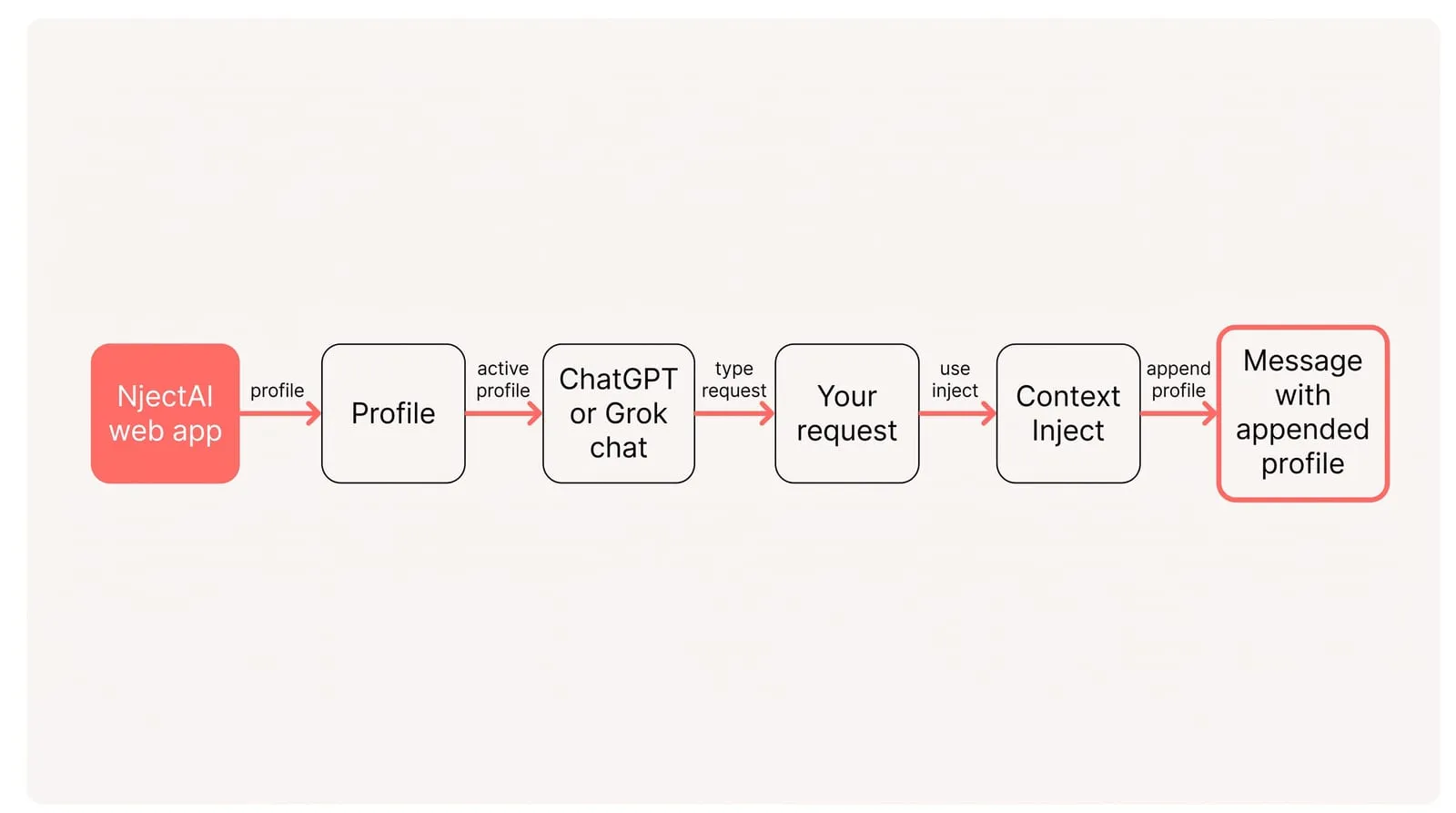
To carry the same profile into both tools with NjectAI in Chrome:
- Install the Chrome extension and sign in to the NjectAI web app.
- Create one profile with your bio, role, goals, constraints and trusted sources; add a short style example and any links or files you want on hand.
- In a new ChatGPT or Grok chat in the browser, confirm your active profile so both tools see the same background.
- Write your request, then click Context Inject so your profile is appended after your message when you press send.
- Keep using the same profile in both tools; when something about you changes, update it once and reuse it everywhere.
My AI Guide shows a two-step flow: use Grok first to pull live signal from X and the web, then move to ChatGPT to draft, restructure and polish with your saved context. That split keeps freshness and consistency without re‑explaining yourself in every chat.
Choose by freshness, keep context portable
Choose Grok when current X activity is the source that matters, and use ChatGPT when the job benefits more from broader research, structured output or sustained long-form drafting. Let the asset and access you need determine whether a paid plan is worthwhile, rather than assuming a higher tier is automatically better.
Keep the working context independent of that choice. Maintain one concise profile for your role, goals, constraints, trusted sources and style. Use it with ChatGPT Memory and a Grok preamble, or choose the NjectAI workflow described above. Centralized memory across AI tools beats tool-specific custom instructions because one source of truth prevents drift and cuts setup effort when you switch models or start a new chat.