
ChatGPT custom instructions: what to write, examples and limits
Use ChatGPT custom instructions to set concise role and response defaults, adapt job-specific examples, and understand Memory and cross-tool limits.
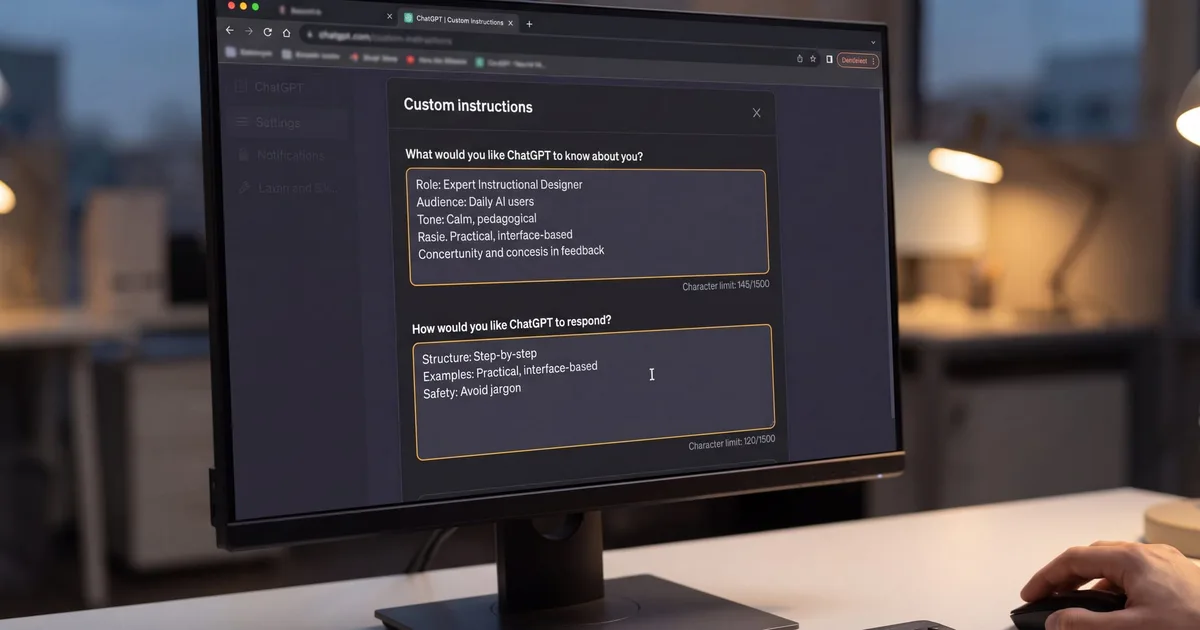
ChatGPT custom instructions are most useful when your work has stable requirements: a recurring role, a consistent audience, and clear rules for tone, structure, or safety. The practical challenge is deciding which preferences deserve to become defaults and which belong in a specific prompt or project. A durable profile should be concise enough to scan, precise enough to guide responses, and easy to adapt when your role changes. That means shaping the two fields around priorities, working within account caps, and keeping separate role profiles ready for other AI tools.
What ChatGPT custom instructions do and where to set them?
ChatGPT custom instructions set your defaults. OpenAI Academy defines them as settings that tell ChatGPT what it should know about you and how you prefer it to respond, and they apply to new conversations until you change, disable, or remove them. In practice, you stop repeating your role, background, tone, and output format in every prompt, and every new chat starts with those preferences automatically. This ensures consistent responses while saving time across daily tasks.
OpenAI Help Center states custom instructions are available on Web, Desktop, iOS, and Android. To configure, update, or deactivate them, navigate through the settings on your device:
- Web or Desktop: in Settings, select Personalization, ensure Enable customization is ON, then enter your instructions.
- iOS or Android: in Settings, select Customize ChatGPT, ensure Enable customization is ON, then enter your instructions.
- To disable or remove them: toggle Enable customization OFF and optionally delete your instructions.
Character limits vary significantly depending on your account tier. According to the OpenAI Help Center, Free and Go allow up to 1,500 characters; Plus, Pro, Enterprise, Business and Education allow up to 5,000 characters. These caps apply across the combined total of both input fields. Users on lower limits must prioritize their most impactful constraints, whereas paid tiers provide ample room for specialized formatting instructions.
Updates to your instructions affect only future conversations, and you can clear earlier threads to remove prior instruction effects. Existing chat sessions retain the instruction context that was active when they began. In addition, there is no API for custom instructions; use a system message in the Chat Completions API for a similar effect when automating responses programmatically.
Write effective custom instructions
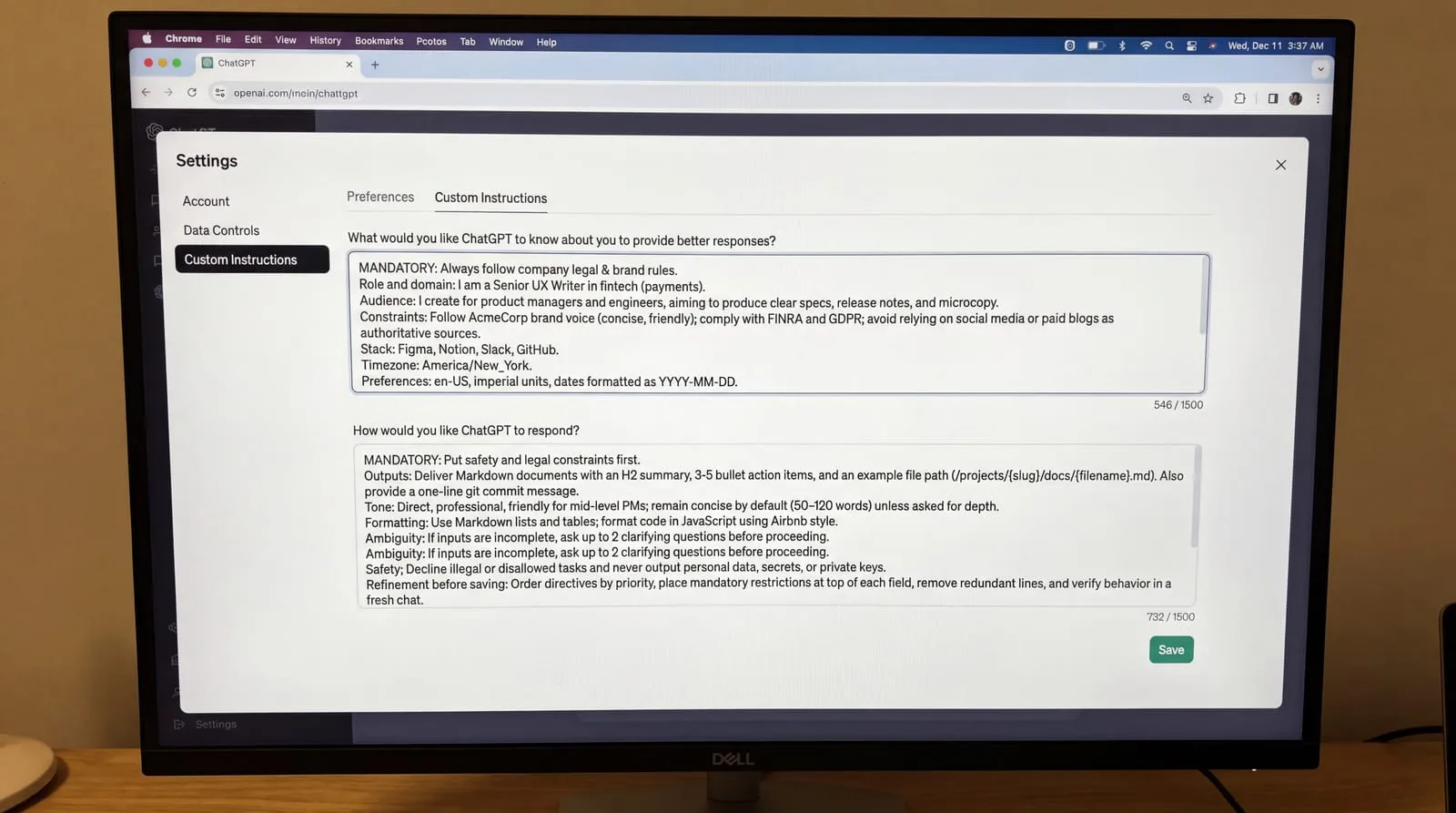
Write instructions as short, specific rules in order of importance. Use this checklist to cover what matters without conflicts:
- Start with essentials about you: role, domain, audience, goals, and constraints that alter responses.
- Specify outputs: exact deliverables, expected layout, preferred file structures, and default naming patterns.
- Set tone and depth: target voice, reader level, and concise length bounds for standard replies.
- Give formatting rules: preferences for tables or bullet points, language regionalisms, units, and date notations.
- Add guardrails: disallowed references, sensitive topics, privacy boundaries, and brand guidelines.
- Ask when unsure: instruct the model to pose up to three clarifying questions when inputs lack context.
- Use conditional statements: prefer explicit if-then directions, such as keeping answers brief unless asked to expand.
- Remove contradictions: eliminate opposing directives, such as asking for exhaustive depth while demanding extreme brevity.
Use this two-field template. Copy it into Custom instructions, replace the brackets, and keep it concise so it stays readable and within plan limits:
- Field 1 (What ChatGPT should know about you): Role and domain: I am a [role] in [industry]. Audience: I create for [audience] aiming for [primary goal]. Constraints: Follow [compliance or brand rules] and avoid [unwanted sources]. Stack: I use [core tools] and work in [timezone]. Preferences: Use [language variant], [metric or imperial] units, and [YYYY-MM-DD] dates.
- Field 2 (How you want ChatGPT to respond): Outputs: Deliver [primary output type] with [structure]. Tone: Use [tone] tailored for [audience level]; remain concise unless asked for depth. Formatting: Use [markdown tables or lists]; format code in [language] following [style]. Ambiguity: If inputs are incomplete, ask up to [1-3] clarifying questions before proceeding. Safety: Decline [unsupported tasks] and never output [sensitive data].
- Refinement before saving: Order directives by priority, put mandatory restrictions at the very beginning of each field, cut unused lines, and verify behavior in a fresh chat.
What do good custom instructions look like for common jobs?
Software developer worked example: this configuration ensures code samples match production architecture without repetitive conversational filler. In What ChatGPT should know about you, state: I am a full-stack engineer working primarily with TypeScript, React, and Node.js. I deploy containerized microservices on AWS and follow strict test-driven development practices. In How you want ChatGPT to respond, state: Output TypeScript code blocks first, followed by at most two sentences explaining architectural trade-offs. Prefer standard language libraries over third-party dependencies. Flag security vulnerabilities and performance bottlenecks automatically. Skip introductory remarks and do not explain basic syntax.
Digital marketer worked example: this setup aligns generated copy with funnel objectives and audience segments. In What ChatGPT should know about you, specify: I manage acquisition and lifecycle email marketing for a B2B SaaS platform. My primary KPIs are qualified trial signups and demo conversions. The target audience consists of operations leaders. In How you want ChatGPT to respond, specify: Provide copy in three distinct variations: concise, benefit-focused, and narrative. Maintain a confident, direct, and conversational brand voice. Avoid marketing clichés such as game-changing or revolutionary. Include estimated reading times and suggested subject lines for all drafts.
University student worked example: this profile emphasizes foundational conceptual learning while preserving academic integrity. In What ChatGPT should know about you, write: I am a third-year undergraduate majoring in statistics and data science. I am currently taking courses in machine learning theory and applied regression. In How you want ChatGPT to respond, write: Act as an academic tutor. When I ask about a topic, explain the core concept simply, provide one numerical example, and ask one question to check my comprehension. Never write complete essays or solve graded assignment problems for me. Prompt me to attempt intermediate calculation steps.
Writer and story writing worked example: this template preserves stylistic consistency and narrative constraints across creative drafting sessions. In What ChatGPT should know about you, state: I write speculative science fiction set in realistic, low-resource space habitats. My style is grounded and character-focused, drawing influence from hard science fiction. In How you want ChatGPT to respond, state: Prioritize sensory environmental details and consistent character motivation. When reviewing drafts, critique passive phrasing, dialogue pacing, and exposition dumps. Offer concrete line edits instead of generic praise, and do not generate new scenes without an agreed outline.
Limits, memory and reuse across tools
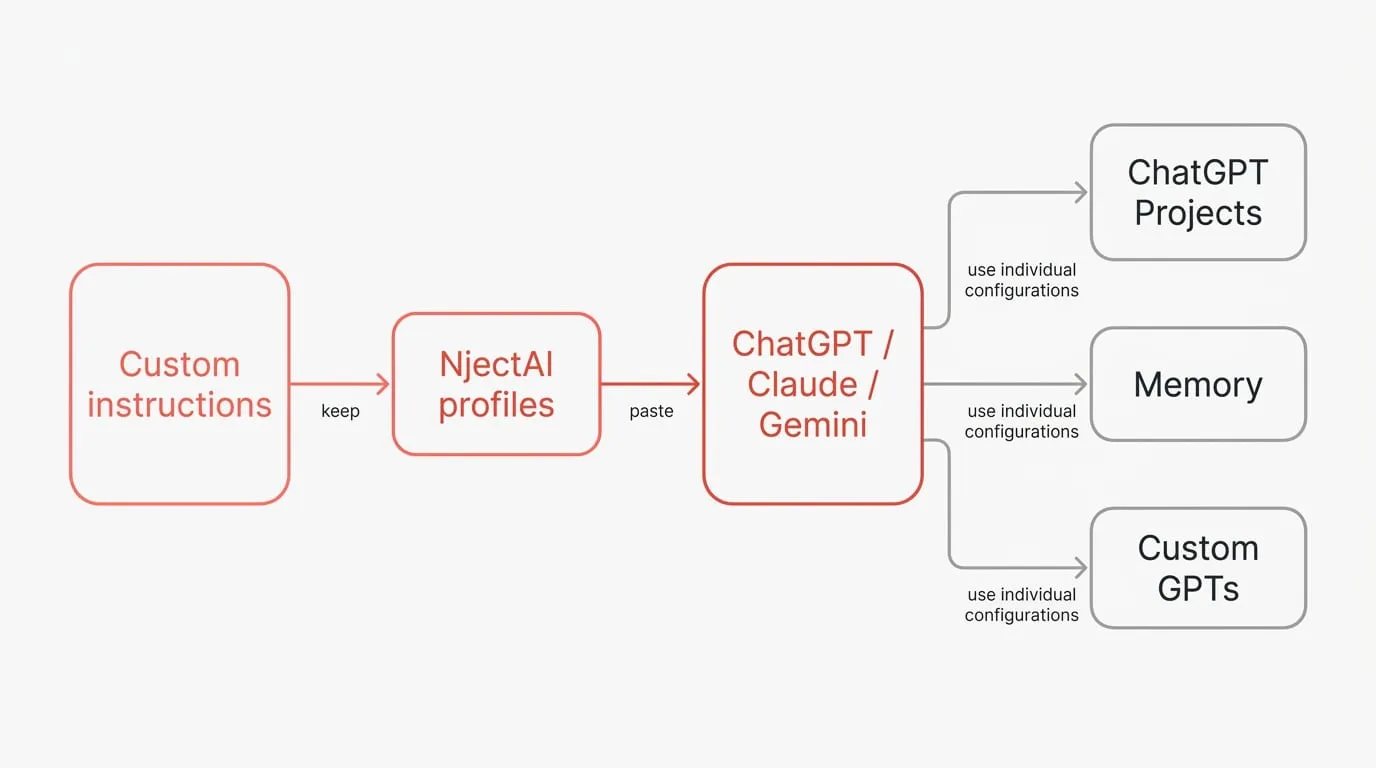
Custom instructions are strictly scoped to the application where you enter them. The PromptXXL guide says they stay in one app and that ChatGPT has one global set, with separate instructions available inside Projects. Furthermore, Claude and Gemini expose their own areas for these settings under different names. Custom GPTs also ignore your personal custom instructions and saved memory, relying instead on their individual configurations. Because these settings do not sync across services, you need a workflow to maintain instructions across platforms.
ChatGPT multiple custom instructions are easiest to manage with Projects for scoped work and named profiles you keep outside the app. OpenAI Academy describes Memory as a feature that, when enabled, lets ChatGPT remember preferences and recurring details across conversations, while project instructions define style and tone for specific bodies of work. Regarding data privacy, the OpenAI Help Center says information from your use of custom instructions may be used to improve model performance unless you opt out. It also notes that plug-ins may receive relevant details from your instructions, so use only plug-ins you trust. Your instructions are included in your data export, and they are deleted within 30 days when you delete your account. To maintain consistent defaults across different platforms, you can keep role profiles in NjectAI and paste them directly into ChatGPT, Claude, or Gemini.
Set clear defaults, know the limits
Effective custom instructions work best as compact operating rules. Put durable context in the first field and clear response requirements in the second, prioritizing the constraints that matter most. Keep each role profile focused enough to review, test it in a new conversation, and revise ambiguous or conflicting directions. Treat the saved profile as a ChatGPT default with defined boundaries, and select the appropriate profile separately when your work moves to another context or AI service. Named profiles make those boundaries easier to manage. A prompt manager such as NjectAI can keep role-based versions in one place so you can paste the relevant instructions into ChatGPT, Claude, Gemini, or Perplexity and adapt them to the task at hand.