
Grok vs Claude: when should you use each?
Grok vs Claude compared for live X research, coding, long documents, paid plans and memory, with a practical way to keep context consistent.

The useful way to approach Grok vs Claude is as a task choice with clear winners by job. Use Grok when the question depends on live X activity, when you want verification-first or action-oriented outputs, or when you need ready-to-run checks and tests; use Claude when you need current pages beyond X, careful code explanation, or long documents shaped to a strict structure with citations. Set the time window, source rules, output shape and tone, then compare results on your work and carry the same background between tools instead of rebuilding preferences in every chat.
Live X data and tone: how to brief each?
In the Claude vs Grok choice, live posts settle it: when your question depends on what people are saying on X right now, use Grok. God of Prompt states that Grok’s distinctive edge is live access to X and it can show the posts behind its answer, so you can verify the sample instead of reading a gloss. It also offers modes: a search-heavy mode that pulls more posts and takes longer, and a reasoning mode that thinks before it answers; the default is fast. Its default voice is looser than other models, so set tone explicitly with a single line like “Tone: measured, concise, no jokes.”
The six-line research prompt gives Grok a tight net: it fixes time and sources, forces comparison and citations, and specifies what to return so you can check posts and reuse the same structure run after run.
To structure a live X request in six short lines:
- The question: one sentence on what you need answered. Example: "What started the current debate on API pricing?"
- Time window: how far back to look. Example: "Last 24 hours."
- Source rules: where to look on X and what to exclude. Example: "X posts with 50+ replies; skip news accounts; originals only."
- Comparison axes: how to compare the posts. Example: "By claim, evidence offered, and reply volume."
- Output shape: the format you want. Example: "Table: handle, claim, replies, link."
- If sources disagree: what to do. Example: "Show both sides and mark what is disputed."
Treat X as a sample, not the world. Ask Grok to include the handles and links for every cited post and open them before you act. Always set a time window such as “Last 24 hours” so it does not mix an old post into a current brief.
Use Claude when you need current pages beyond X. Claude searches the web and returns inline citations, even on the free plan, so you can click through to the sources it used. Brief it with the same six lines you use for Grok and add a one-line voice instruction such as “Tone: neutral, plain, no flourish.” State preferred sources and depth explicitly when you research with AI, because naming where to look and how deep to go reduces hallucination and mismatched formats.
Coding and long documents: how they differ
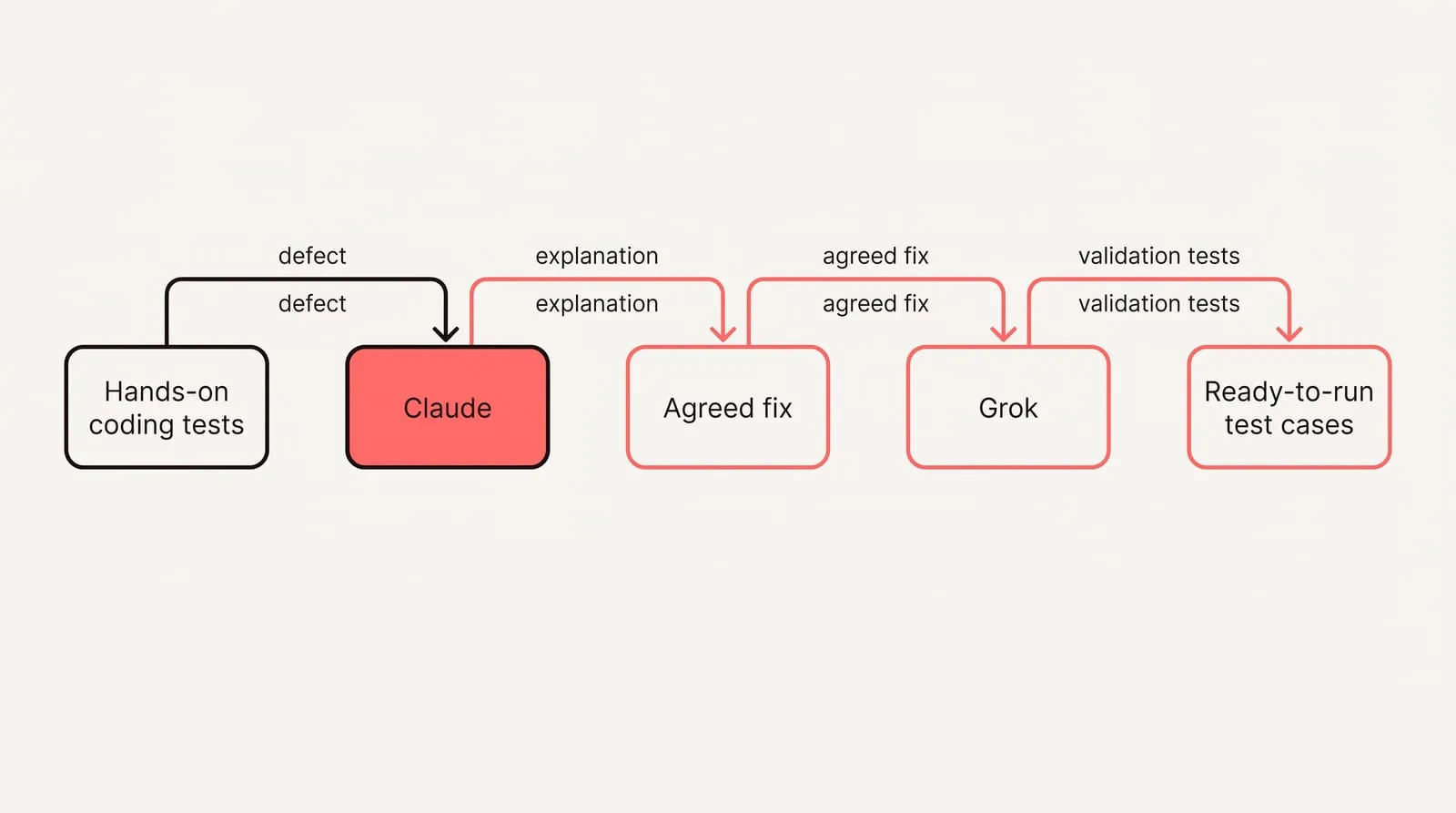
On code, the two tend to help in different ways. In hands-on coding tests, Claude explained what broke and why, then walked through how the corrected function would behave under different inputs, while Grok delivered broader input validation and included ready-to-run test cases to verify the fix. Pick based on where you are in the cycle: when you need to understand the defect so you can change adjacent code safely, prefer the explanation; when you are hardening a path and want checks you can run immediately, prefer the extra validation and tests. A practical split is to start with Claude to see the fault and reasoning laid out, then have Grok turn the agreed fix into stronger guards and test inputs you can drop into your runner. That way you leave the conversation with both understanding and executable proof that it works.
For long reports and PDFs, both completed the brief, but their emphasis differed. In the same tests, Claude adhered closely to the requested structure, separated the response into the specified sections, and stayed focused on the source material, while Grok paired the findings with action callouts that translated them into next steps and business implications. Use the first when you owe a client an audit-friendly summary that tracks the template exactly, with sources easy to check. Use the second when the audience expects decisions, risks, and immediate moves tied to the findings. If you need both, ask for a two-part output: Section A strictly mirrors the document; Section B turns each confirmed finding into one action with owner and timing.
The decision lens is simple: choose by job, not brand. Explanation-first or structured briefs favor Claude; verification-first and action-oriented outputs favor Grok. If results converge or feel generic, restate the objective in one line and explicitly require either “explain why” or “show how to verify” to steer the model toward the style you need.
How to carry one context across both?
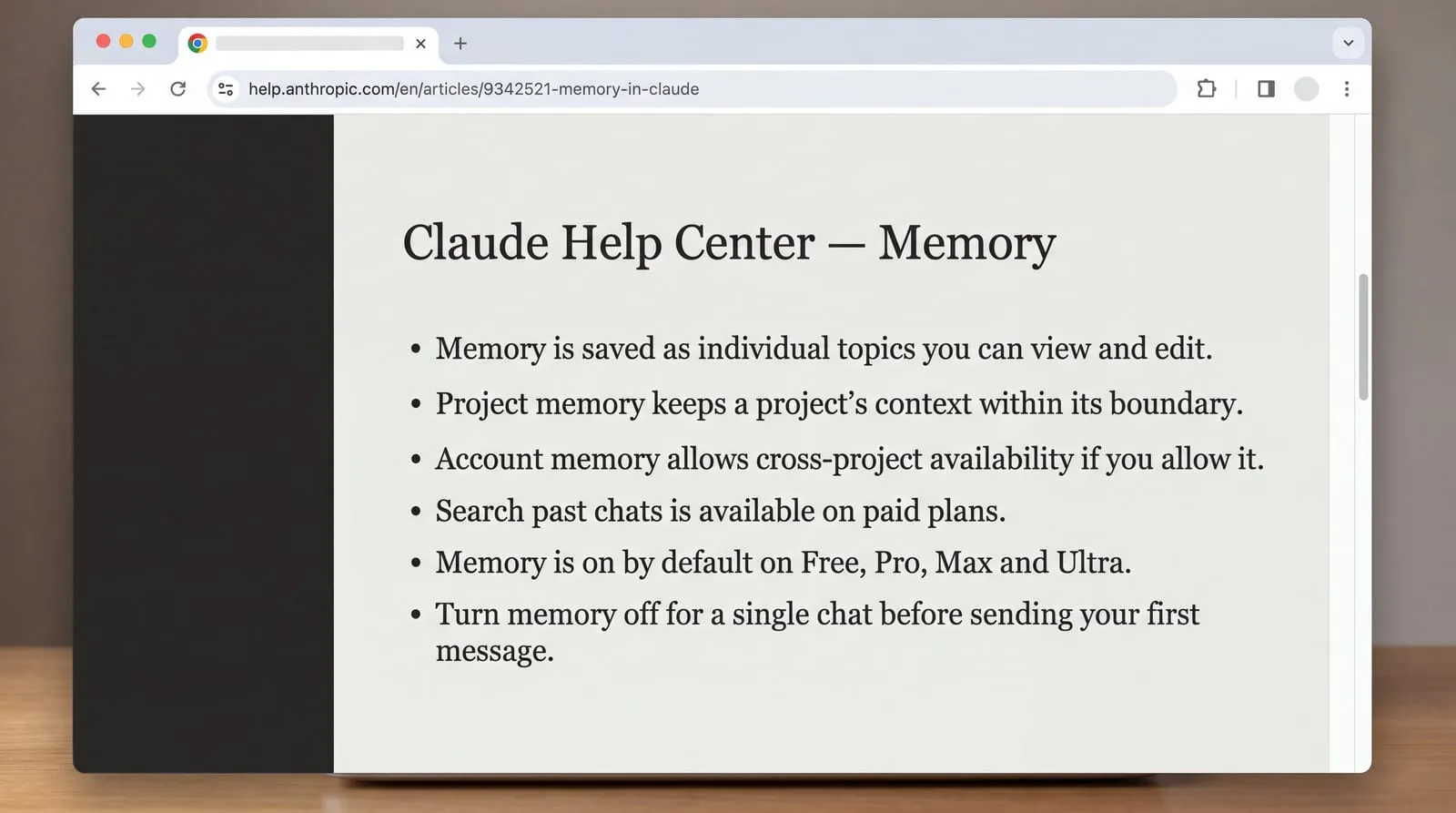
Claude’s memory and search are built for reuse across sessions. Claude Help Center says memory is saved as individual topics you can view and edit, with separate project memory so a project’s context stays within its boundary unless you allow account memory. It also notes that searching past chats is available on paid plans, and that on Team and Enterprise plans, owners control whether memory is available. Memory is on by default on Free, Pro, Max and Ultra. You can also turn memory off for a single chat before you send the first message.
Treat Grok’s cross‑session persistence as variable. Grok Bot supports persistent context, but consumer memory capabilities vary by experience. Both assistants retained context within a multi-turn writing test, which says nothing about what carries into the next chat. Plan workflows that reattach context at the start of important chats unless the specific Grok surface documents durable memory and scope.
To build a portable context profile you can reuse anywhere:
- State your role and audience in one line.
- List three non‑negotiables for tone and format (for example, “measured, concise; bullet conclusions first”).
- Add two or three domain facts or definitions you always rely on, with one canonical link for names or style.
- Include one short example to anchor voice (a before/after or a model paragraph).
- Name the output defaults you expect across tools (headings, citation style, units).
- Set an update trigger so you review the profile when projects, names or policies change.
Use NjectAI context profiles to carry the same brief into Grok and Claude. Keep one profile for your day job and switch to a slimmer profile for quick research. When token budgets are tight, drop bulky files and anything not needed for this task, and avoid sensitive items that are irrelevant to the answer.
What paid plans actually change
Anthropic’s pricing page says Pro increases usage over Free, adds access to more Claude models, and includes Claude Code. Max lifts usage to 5x Pro per 5-hour window and week and includes monthly API credits and priority access. Ultra removes the 5-hour limit for verified accounts, raises weekly usage to 10x Pro, and increases the monthly API credit.
Justin McKelvey reports that The X Subscription bundles Grok with Cursor and X, and that third‑party models in Cursor, including Claude, are billed separately at API list prices. He also notes that Grok metering draws from one weekly usage pool and states each tier as a multiple of Plus rather than a fixed base number. Anthropic describes Claude’s limits as a rolling five‑hour session cap with weekly limits on paid plans, and it lets you keep working by turning on usage credits. Anthropic lists model‑training as opt‑out on individual plans. Justin McKelvey says x.ai’s pricing page did not state a training default for individual plans. Taken together, Grok’s bundled tiers add tools but make spend tracking trickier than Claude’s standalone plans.
Choose by task, keep one context
Choose Grok when the task depends on current X activity, ready-to-run checks or action-oriented output. Choose Claude when you need a careful code explanation or a long document shaped to a strict structure. In either tool, specify the time window, permitted sources and tone so the result is easier to verify and use.
Pick the model for capability, but rely on your context for consistency. A portable brief, carried manually or through NjectAI, helps preserve your background, tone and output preferences across both systems. Before using either assistant for client work, confirm the current plan limits, memory behavior and privacy settings for the account and surface involved.